
- Search
- Riyadh26 ° C


New Phone Setup Checklist: Move WhatsApp, Photos, Contacts, and More in the Right Order
Setting up a new smartphone feels like a balancing act between the excitement of new hardware and the dread of a disorganized digital move. Nevertheless, with a structured plan, this stressful situation of forgotten passwords, missing photo albums, and fragmented chat logs can be resolved. Moving data like WhatsApp chats, contacts, and years of photos requires a specific order of operations to avoid common technical glitches.
This checklist provides a practical, low-stress roadmap for a clean migration. Thus, this guide explains a structured plan, starting from the final backup and ending with secure transfer with tools like Dr.Fone - WhatsApp Transfer.
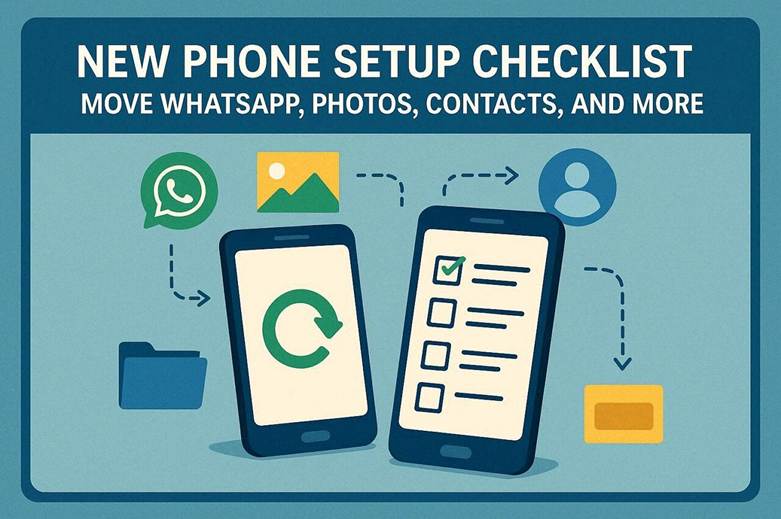
Part 1. Decide What Matters Most Before You Start the Transfer
To transfer WhatsApp to a new phone, the first step is to identify the priority data for a structured migration. Categorizing the vital information, such as WhatsApp chat histories, primary contact list, images, and work documents, allows a more efficient and focused move.
Additionally, deciding which file to keep and which to delete makes the backup smaller and prevents the transfer from freezing or timing out. Thus, focus on high-priority data and save it first to ensure it is safe before the longer, slower part of the migration starts.
Part 2. Why WhatsApp Should Be One of the First Things You Plan For
Many users wonder how to migrate WhatsApp messages from Android to iPhone, as they have already filtered the important data. Of all the data types, the following 5 points highlight why WhatsApp should be the first priority:
.jpeg)
- Holds Irreplaceable Personal Memories: WhatsApp contains emotional conversations, life moments, and personal relationships. Losing chats can feel like losing parts of personal history and memories.
- Works as an Important Information Archive: Chat store addresses, dates, contacts, and useful long-term reference details. Missing history makes valuable stored personal information harder to access.
- Requires Early Transfer Planning: Cross-platform moves require setup time and cannot be done easily later. Hence, late planning may force a reset or result in skipped WhatsApp migration.
- Risk of Permanent Data Loss: Failed transfers without preparation can remove years of chat history. Without backups, recovery becomes difficult or sometimes impossible after errors.
- Represents Digital Life Continuity: Know that WhatsApp reflects ongoing relationships and personal communication over time. So, planning early helps preserve smooth continuity across device changes.
Part 3. How to Transfer Data to a New Phone Efficiently?
To transfer data to a new phone, this section offers a structured and planned workflow for smooth migration:
.jpeg)
- Clean Devices Before Transfer: Old phones cluttering the migration process slow it down and unnecessarily increase the transfer size. So, delete the unused files and ensure both phones stay charged and updated.
- Build Strong Backup Layers: A single backup is risky if the transfer fails or gets interrupted midway. Thus, create cloud and local backups to ensure full recovery options stay available.
- Select Fast Transfer Method: Direct cable or device-to-device transfer reduces time and network dependency. Use transfer tools like Dr.Fone, which offer simple transfer methods based on device type for the fastest and most stable results.
- Verify Data After Transfer: Some apps, contacts, or media may not fully transfer correctly. Check all the essential data before removing anything from the old device.
- Secure Old Device After Completion: Old phones may still sync or hold unfinished background data updates. So, wait before the reset and only wipe the device after full confirmation of success.
Part 4. How to Transfer WhatsApp Without Breaking the Setup Flow?
To keep the setup flow smooth, WhatsApp migration should be a priority as well. So, this must be done after the main phone settings are active but before the old device is wiped. Adding this step to the broader migration prevents confusion about missing messages or fragmented chat logs later. To make it smooth and error-free, transfer tools like Dr.Fone - WhatsApp Transfer should be used.
Such tools allow moving WhatsApp and WhatsApp Business chats, including selected chats that can be previewed later. Those who prefer manual controlcan perform a final manual backup. Once done on the old phone, just minutes before logging into the new chats, the most recent conversations remain intact. Overall, this order ensures the communication history matches the rest of the new phone’s data and creates a seamless transition.
Part 5. Final Checks Before You Reset or Sell the Old Phone
Once the transfer data to a new phone is done, perform the 5 given checks to ensure nothing is left behind:
.jpeg)
- Verify Messaging Apps Fully: Check WhatsApp and other messaging applications for complete chats and media transfer. Confirm group chats, files, and backups work correctly before removing the old device.
- Test Security and Authentication Apps: Authenticator and banking apps must work properly on the new phone. Ensure codes, passkeys, and trusted devices function before signing out of the old phones.
- Confirm Photos and Important Files: Check full gallery, downloads, and cloud folders for missing photos or documents. Furthermore, verify recent media and app files synced correctly before wiping the old device.
- Validate Contacts and Accounts: Ensure contacts, calendars, and email accounts are fully transferred and working. Test sync and account access before deleting data from the old phone.
- Review Sign-Out and Device Removal: Sign out of the accounts and remove the old device from the trusted device list. This prevents security risks and ensures a safe transition before selling or resetting.
Conclusion
To wrap up, a successful phone migration depends on following a logical sequence rather than rushing the process. So, from prioritizing the data like WhatsApp to following the structured migration process, this guide has explained all in detail. For manual transfer, cleaning up old files, and performing manual backups, the migration stays fast and organized.
However, for complex cross-platform transfers, tools like Dr.Fone - WhatsApp Transfer ensure a reliable transition. Such tools allow users to selectively migrate WhatsApp and WhatsApp Business data in 2-3 steps without losing data integrity.


Axis brings data-driven innovation to the Middle East with OPEN on the ROAD Riyadh
Monday 6 July, 2026 11:23
Knowledge Economic City secures SAR 152M loan from SAIB
Monday 6 July, 2026 7:34
Mastercard supports an SME initiative with Jarir in Saudi Arabia
Wednesday 8 July, 2026 8:00

UAE places sixth among world’s most popular Muslim-friendly destinations
Monday 6 July, 2026 6:52